Visionist AI - AI Assistive Tool for Visually Impaired
AI/ML
About this project
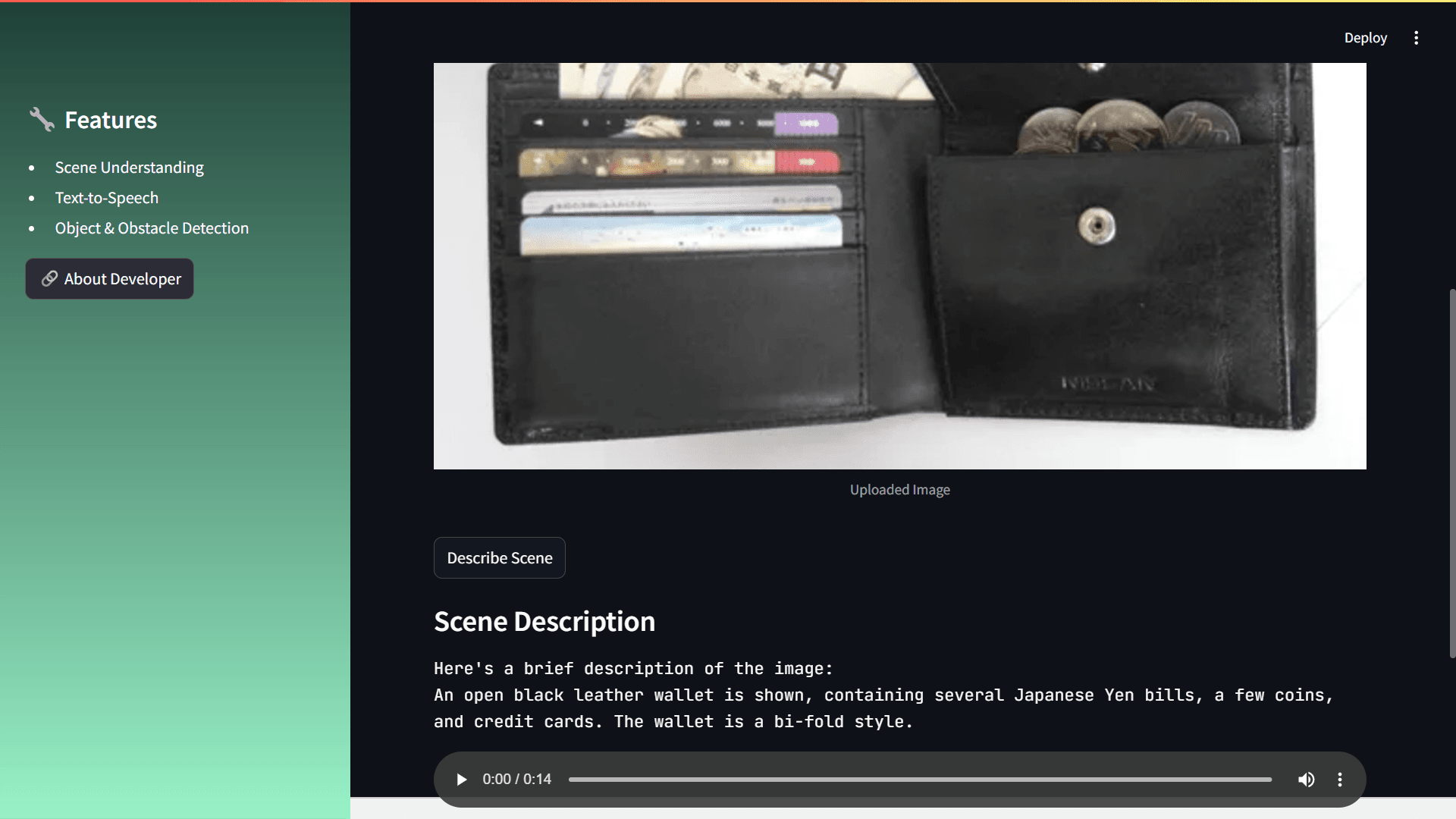
Project Overview: Visionist AI is a cutting-edge tool designed to assist visually impaired individuals by providing them with real-time visual and contextual understanding. Using advanced image processing, OCR, and natural language processing techniques, Visionist AI can describe scenes, extract text from images, detect obstacles and objects, and provide personalized assistance based on the content of the image. Features: - Scene Understanding: Get a description of the visual scene to assist with navigation and awareness of surroundings. (e.g., "A busy street with cars and pedestrians.") - Text-to-Speech: Automatically reads out extracted text or descriptions to provide auditory feedback. (e.g., Reads text from a scanned document.) - Object & Obstacle Detection: Identifies obstacles and objects in images and highlights their positions for safe navigation. (e.g., "Low-hanging branch detected ahead.") - Personalized Assistance: Offers task-specific guidance based on the content of the image, including item recognition and label reading. (e.g., "Identified a can of 'Tomato Soup'.") Technology Stack: - Image Processing: Tesseract OCR for text extraction from images. - Generative AI: Powered by Google Gemini model for scene analysis and description generation. - Text-to-Speech: Utilizes gTTS (Google Text-to-Speech) to convert text into speech for easy understanding. - User Interface: Built using Streamlit, a simple web app framework for Python. Installation & Usage: 1. Clone the repository: `git clone https://github.com/KammariSadguruSai/Visionist-AI.git` 2. Install the required Python packages: `pip install -r requirements.txt` 3. Run the Streamlit app: `streamlit run app.py` 4. Open your browser and navigate to the Streamlit interface to upload images and interact with the AI tool.